Welcome to the all-new Males section — redesigned to give you a cleaner, more organised way to manage your male animals.
Adding a new male
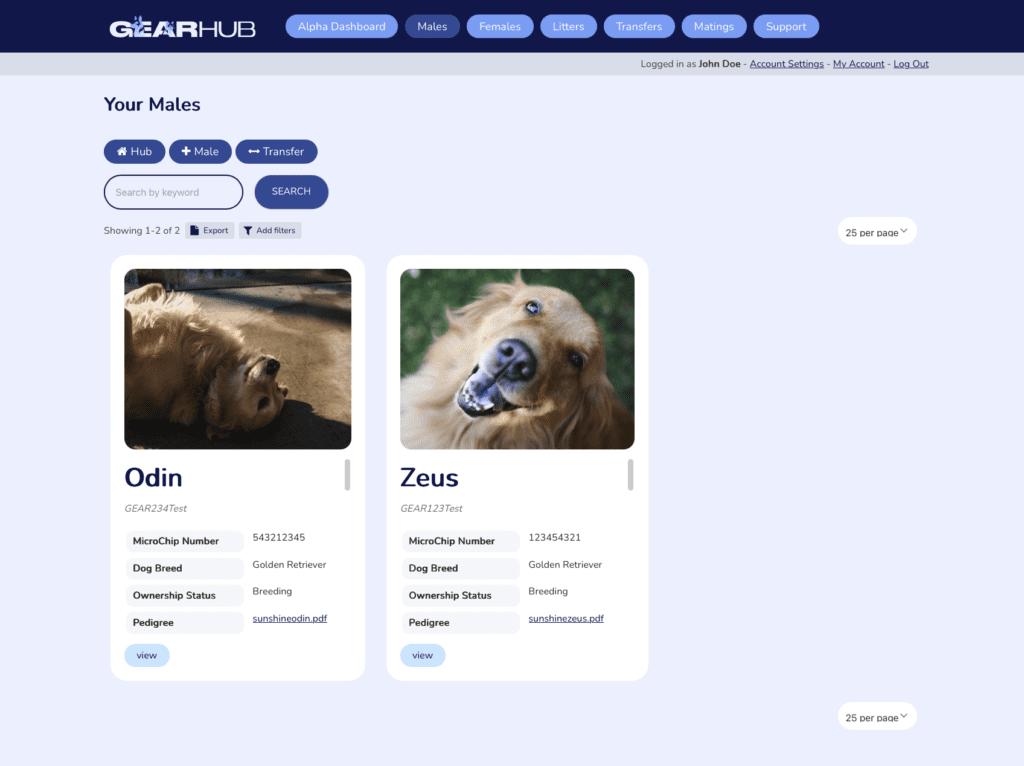
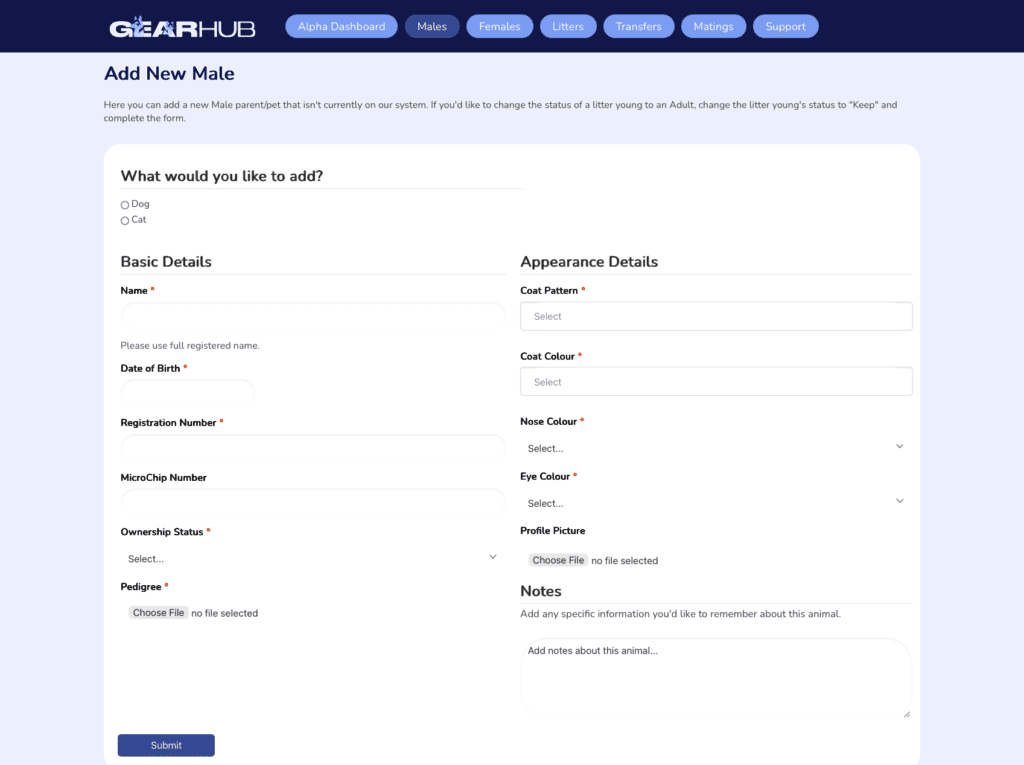
At the top of the Males section you’ll find two action buttons: Add Male and Request Transfer. For this tutorial, we’ll walk through adding a new male. Click Add Male and you’ll be presented with a simple form broken into a few key sections.
1. Basic Details
Start by filling in the essentials:
Species (Dog or Cat)
Name
Date of Birth
Registration Number
Microchip Number
Ownership Status
Pedigree
The Ownership Status field helps you track where each male is in his lifecycle. The available statuses are:
Breeding
Sold
Swapped
Passed
Pet
2. Appearance Details
Next, you’ll fill in the physical characteristics:
Coat Pattern
Coat Colour
Nose Colour
Eye Colour
Profile Picture
Both Coat Pattern and Coat Colour support multiple selections, so you can accurately represent more complex looks. If you’re unsure which patterns or colour combinations apply to your breed, visit the relevant Breed Bio page for a full reference.
The Profile Picture is a new addition — upload a clear photo to make your males easy to identify at a glance and give their ID cards a polished, personal touch.
3. Notes
At the bottom of the form you’ll find a Notes field for any additional information you’d like to keep on record. Notes can be updated at any time.
Once you submit the form, a clean, formatted ID card will be generated for your male.
Viewing the male
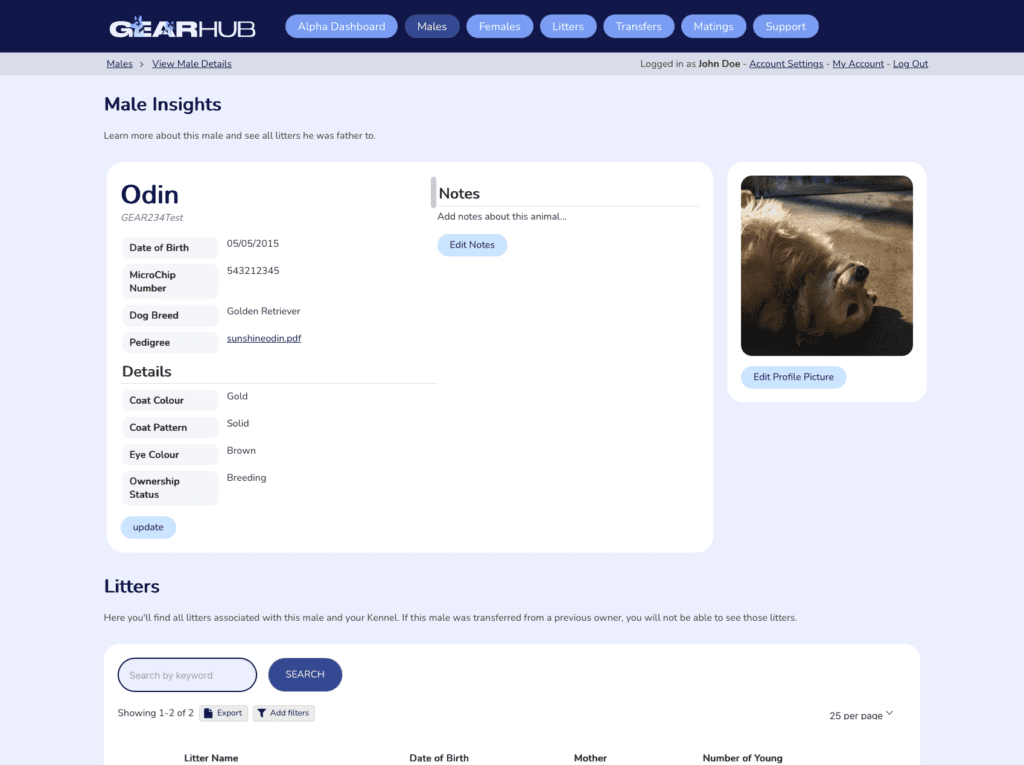
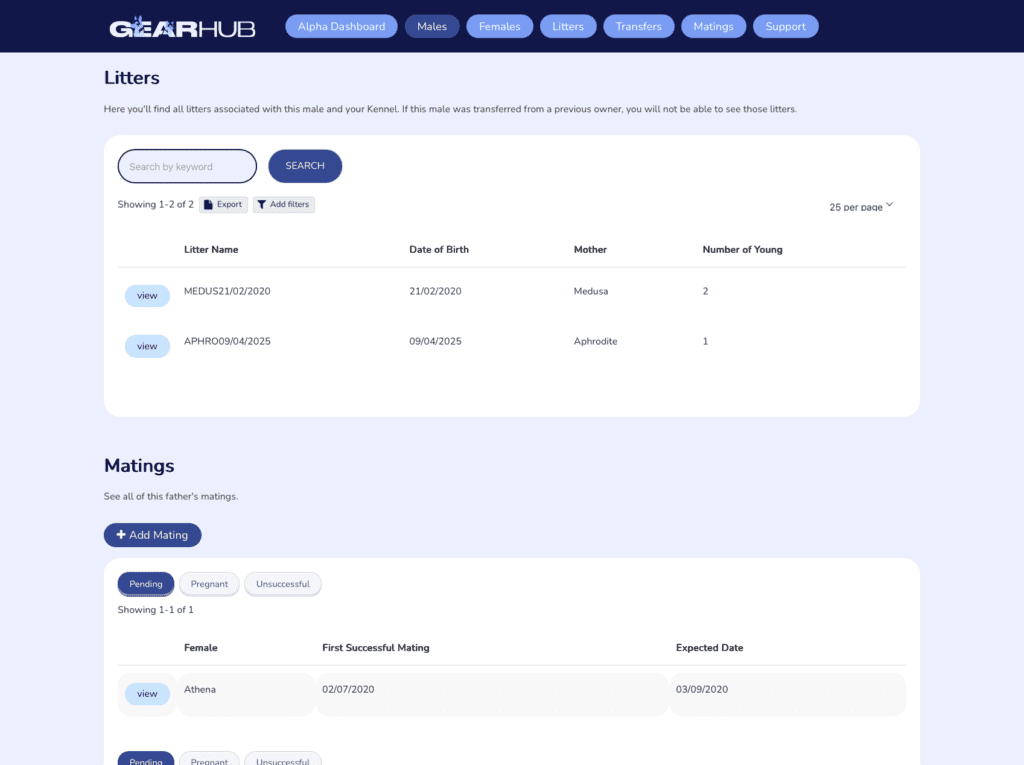
Click View on any ID card to open the full profile. Here you’ll find all recorded details for that male, along with a history of the litters he’s fathered and the matings he’s been recorded in.
Wrapping up
The new Males section is designed to make managing your stud dogs and breeding males as straightforward as possible. With detailed profiles, ownership tracking, and a full mating and litter history all in one place, you’ll always have a clear picture of each animal in your programme. Take a few minutes to add your males and get their profiles set up — the more complete your records, the more useful GEARHub becomes as your breeding operation grows.